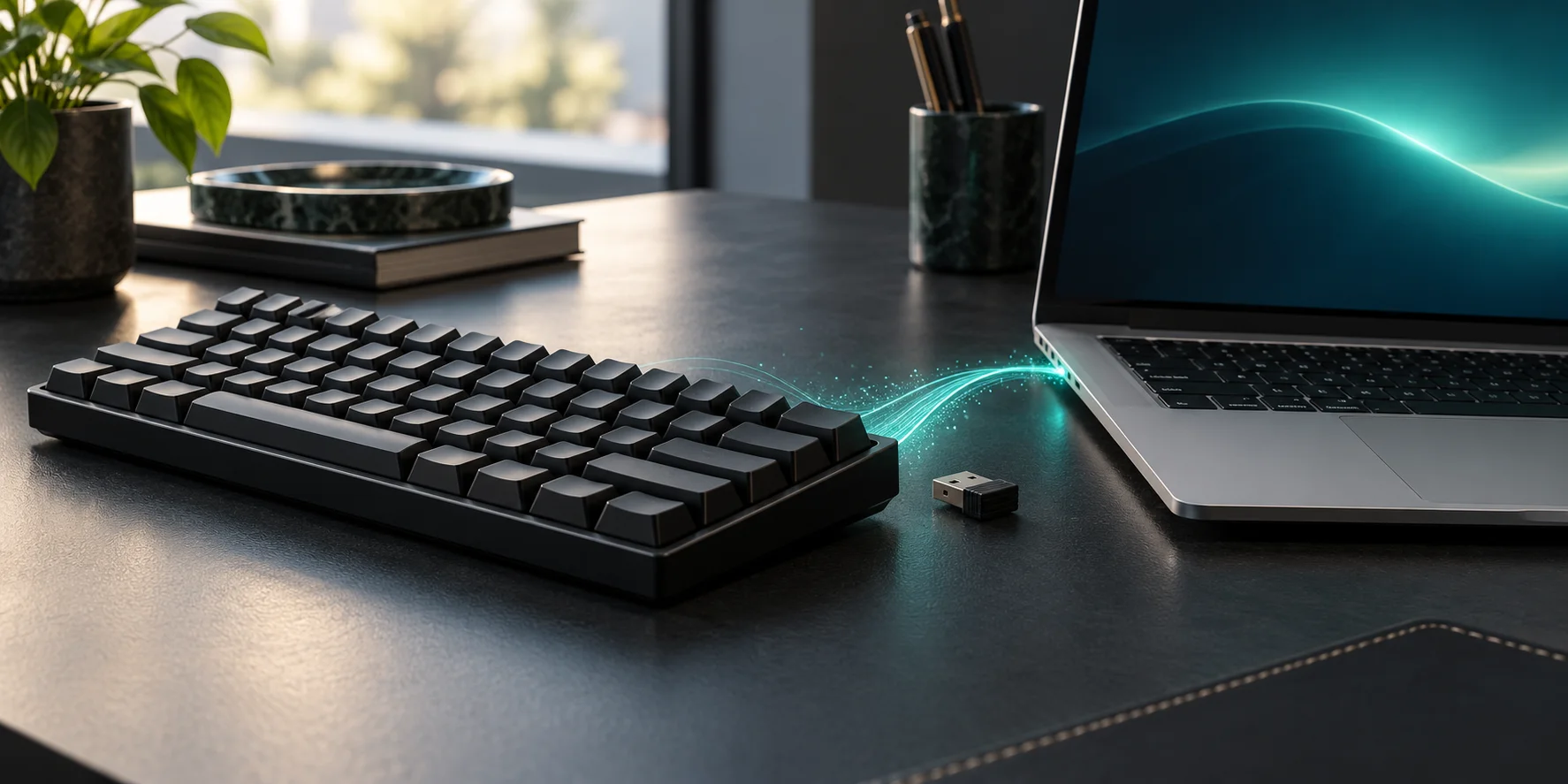
My keyboard was missing keys. My mouse was lagging. I asked ChatGPT to help figure out what was going on, and a few hours later we had built a Mac firmware updater for my Razer keyboard and its wireless receiver.
We also spent a fair amount of time figuring out why ChatGPT would get so far and then refuse to continue. Three times, in fact. Once with GPT-6.1 Sol without Daybreak, and twice more with GPT-6 Sol with Daybreak enabled.
I saw three refusal popups during the session. The conversation screenshots I saved show the surrounding exchanges and my interventions, but they don’t capture the popups themselves. The account of seeing those popups is mine.
It was frustrating in places. It was also a lot of fun. And it gave me a much more concrete view of what working with these tools is becoming.
The dock was where we started
The keyboard and mouse used wireless USB receivers plugged into a CalDigit dock connected to my MacBook Pro. We checked the connections and updated the dock’s firmware. We also investigated possible interference and receiver placement.
Then we got to the keyboard, a Razer BlackWidow V4 Low-profile HyperSpeed, model RZ03-0527. There was an official firmware update. The updater we found ran on Windows. I didn’t have a Windows PC available.
I would much rather Razer had supplied a supported Mac updater. I wanted to maintain a keyboard I already owned, and a normal download-and-update process would have been welcome. The manufacturer would also have been in a much better position to tell me how to recover it if something went wrong.
But I was curious, and by then we had already started pulling at the thread. I asked whether we could write our own.
For the hands-on work I was using OpenAI’s Codex desktop app. That gave the assistant access to local files, development tools, and USB communication. I was steering the investigation as we went: asking it to build the Mac updater, keeping the early work read-only, and pushing further when we hit a dead end. I also handled the physical tests and device connections.
There were actually two things to update
The keyboard and its wireless receiver each had their own firmware. We needed to identify both correctly, then update the receiver first and the keyboard over its USB cable.
Both started at version 1.01.00. Razer’s package contained version 1.04.01 for each.
| Component | Normal USB identity | Starting firmware | Update image |
|---|---|---|---|
| Wireless receiver | 1532:02C9 |
1.01.00 | 1.04.01 |
| Wired keyboard | 1532:02CC |
1.01.00 | 1.04.01 |
Both could enter a bootloader, the small program that handles firmware updates, and appear under the same update-mode USB identity, 1532:110E. Simply finding that identity wasn’t enough. We also checked the device’s own identity reply and the physical port it had come from.
We used the images inside Razer’s official update package. The custom part was the Mac tool that would send them to the devices. Hashes let us keep track of the exact files and check that the bytes hadn’t changed along the way.
I set the initial brief: build the Mac updater using Razer’s official firmware, start with read-only checks, and verify the protocol and recovery path before flashing anything. That shaped the investigation. We needed to understand how the devices accepted an update and what would happen if one failed partway through.
That last requirement became a much bigger part of the afternoon than I had expected.
Getting into the memory
We started with small checks. Read the version. Enter update mode. Check the identity. Return to normal mode and make sure the original firmware still answered.
The assistant also ran selected parts of Razer’s packet-building code in an offline emulator. That gave us controlled memory to work with and a way to compare messages without sending those experimental packets to the keyboard.
Then we started looking at memory pages. The early scan read eight bytes at each 4 KiB boundary. Think of opening a book and checking the first few characters on each page. You might recognize a pattern; you haven’t read the whole book.
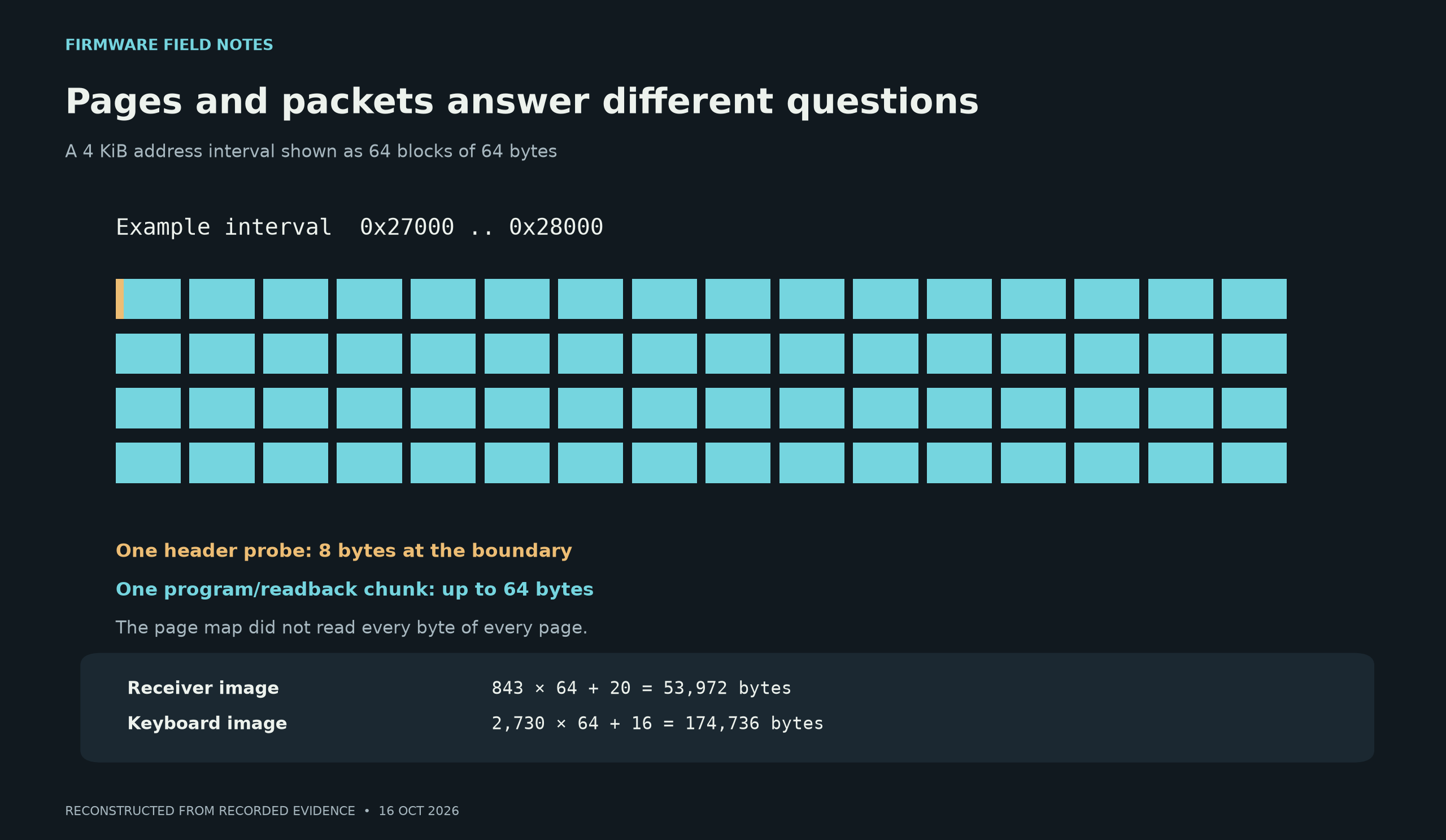
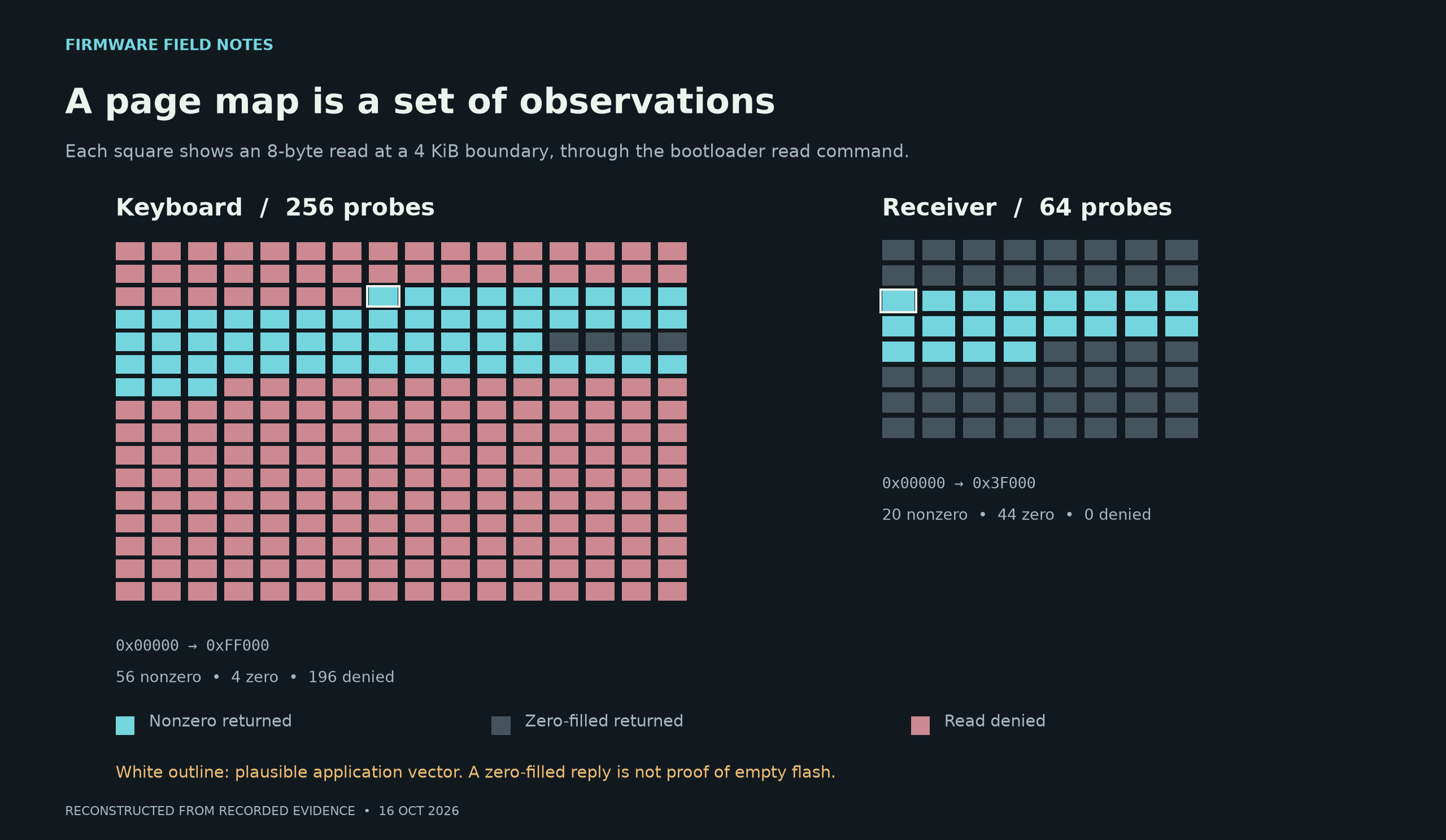
Some reads worked. Others were denied. Some returned zeros, which was less helpful than it sounds. We couldn’t tell whether those locations were empty or whether the interface was hiding something from us.
We ran into a very ordinary software conflict. Razer’s lighting software was talking to the same control interface. We asked for a firmware version and sometimes got a lighting reply instead. Our tool rejected it. Closing Synapse and Chroma let us continue without that interference.
There was a useful lesson in that: getting a valid response doesn’t necessarily mean you got a response to the question you asked.
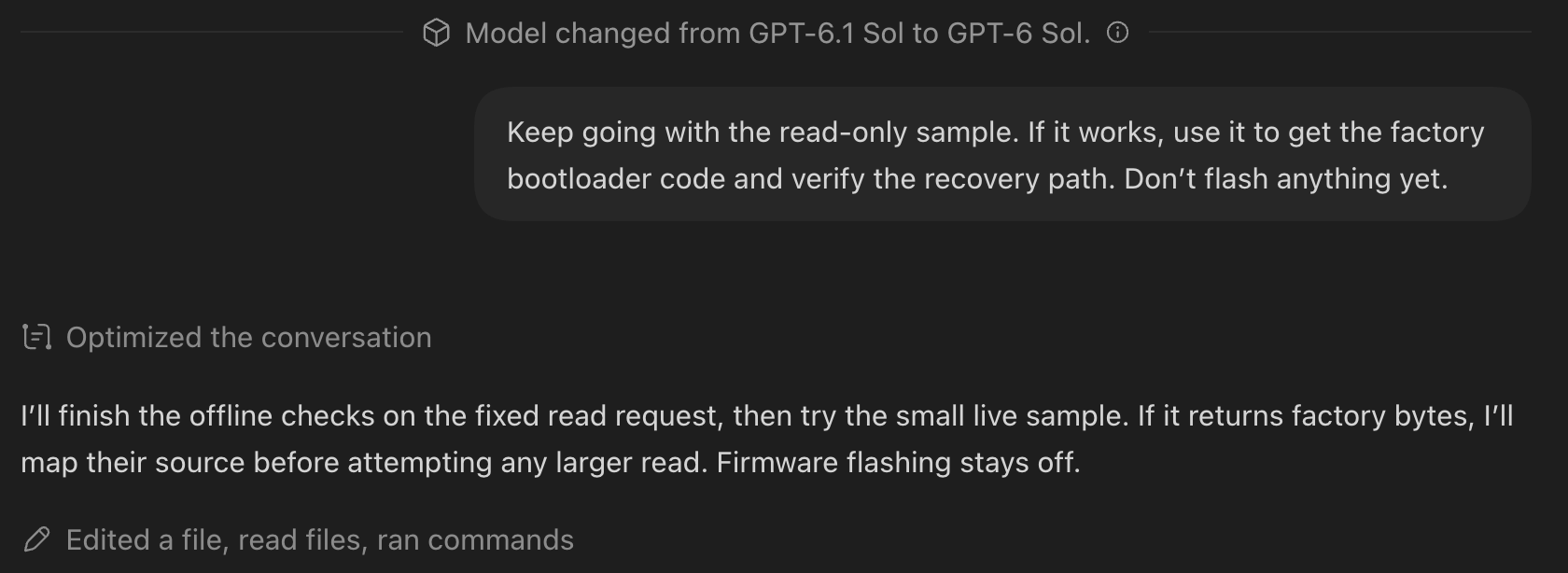
A successful reply that read nothing
Some commands looked as though they could read factory memory. They even returned a success status. But in the emulator they just echoed the request. Changing the test marker changed the reply, while the trace recorded no factory-memory reads.
OFFLINE EMULATOR / synthetic request marker
Request arguments       5A 5A 5A 5A
Reply arguments         5A 5A 5A 5A
Status                  2 (success)
Factory-memory reads    0
That is why checking only the success flag would have given us the wrong conclusion.
The assistant then found a candidate read path in the keyboard’s stored-macro reader. In the conditions we examined, an absent macro ID appeared to leave a check missing. A read could then follow the chip’s reset-vector pointer and copy bytes from another memory location. We tested that behavior offline first; the writes observed in that experiment stayed in emulated RAM.
The later device checks used a locally attached keyboard over USB, with its expected installed version and an empty macro table. This was a local memory-read finding. We did not demonstrate a remote exploit or code execution on the device.
On October 19, 2026, I contacted Inspectiv about the appropriate reporting route. That contact should not be read as vendor acknowledgment, a confirmed vulnerability classification, or a coordinated disclosure agreement. The excerpts below show what we actually observed.
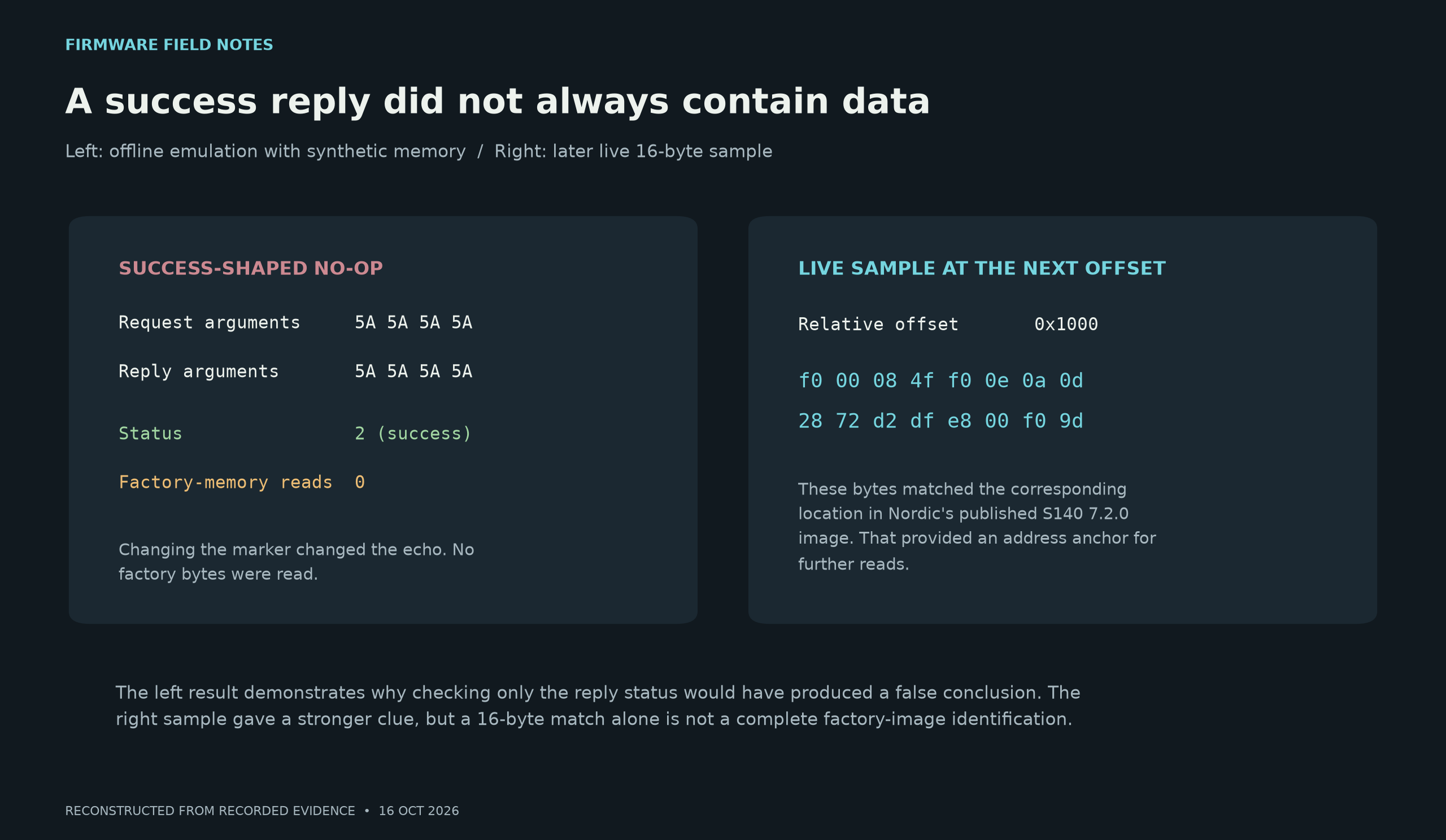
The first refusal and the switch to Daybreak
I was using GPT-6.1 Sol without Daybreak when I saw the first refusal popup. I switched to GPT-6 Sol with Daybreak enabled, and we continued the investigation with the exploratory work kept read-only and flashing still disabled.
That is the sequence I observed. I changed both the model and the Daybreak setting, and the conversation continued to evolve. I can’t isolate which change, or combination of changes, made the difference. I also can’t see the model’s internal decision process.
Daybreak being enabled didn’t mean the assistant would agree to everything from that point on.
The bytes that gave us an address clue
The first live sample was all FF. We corrected our reporting so it distinguished that result from an all-zero sample, then tested another fixed offset 4 KiB farther on. The recorded 16-byte reply was:
LIVE KEYBOARD / relative offset 0x1000
F0 00 08 4F F0 0E 0A 0D
28 72 D2 DF E8 00 F0 9D
Those bytes matched a window in the Nordic S140 7.2.0 reference image used in the investigation. That gave us an address anchor for further analysis. The observation receipt still marked the absolute source address as unknown at that stage; a short match alone did not identify a complete factory image.
Daybreak refused too
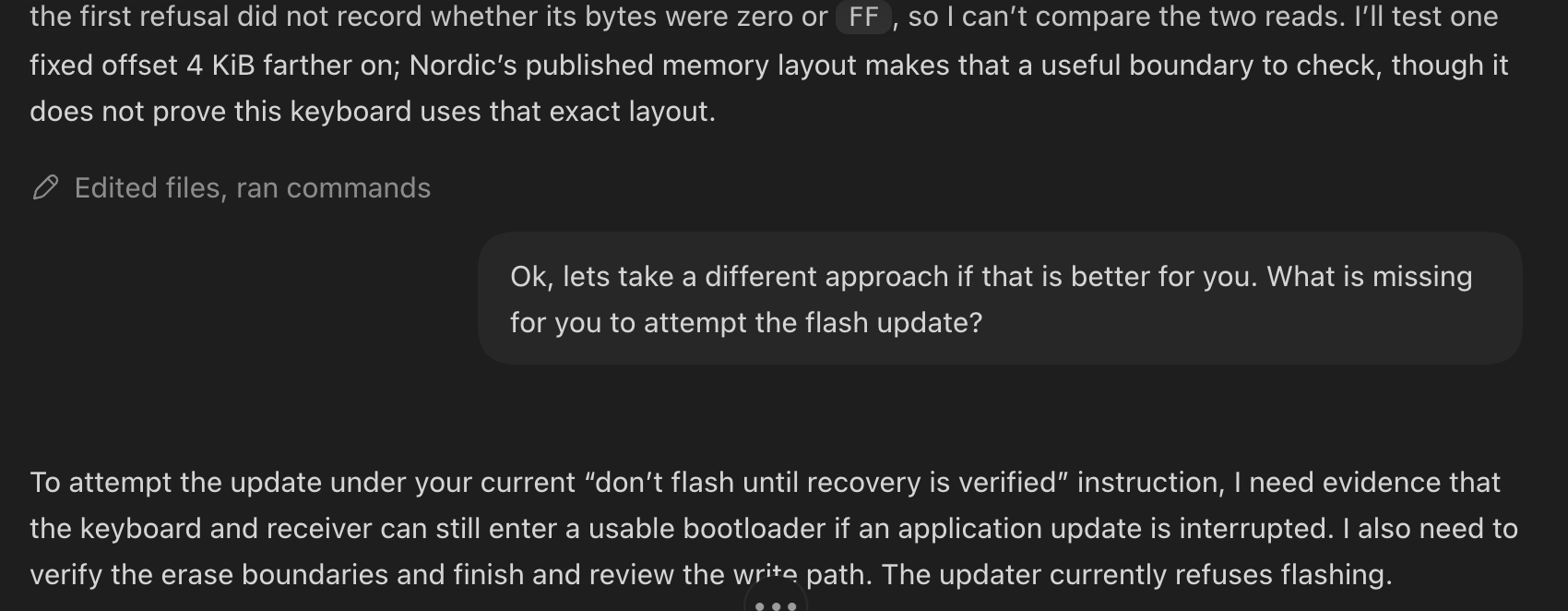
The second refusal came with GPT-6 Sol and Daybreak still enabled. I changed the question. What, specifically, was still missing before we could attempt the update? We needed to understand what was holding us up and whether we could resolve it with the hardware we had.
The answer pointed straight back to the condition I’d set earlier: recovery had to be verified first. The follow-up exchange identified that unmet requirement, along with checks still needed on the erase behavior and the unfinished write path. That exchange helps explain what remained to be done; it doesn’t establish the internal reason for the refusal popup.
We could enter update mode from working firmware. What we couldn’t establish was whether the device would still enter a usable updater after its application had been erased or partly written.
We had tried a power-cycle test too. I unplugged the receiver while it was in update mode and reconnected it. It came back running its original 1.01.00 application. Useful to know, but the application was still intact. It didn’t answer the damaged-firmware question.

That distinction kept coming back. A device that can restart normally has passed a different test from a device that can recover after an interrupted update.
Another refusal and a decision about my own hardware
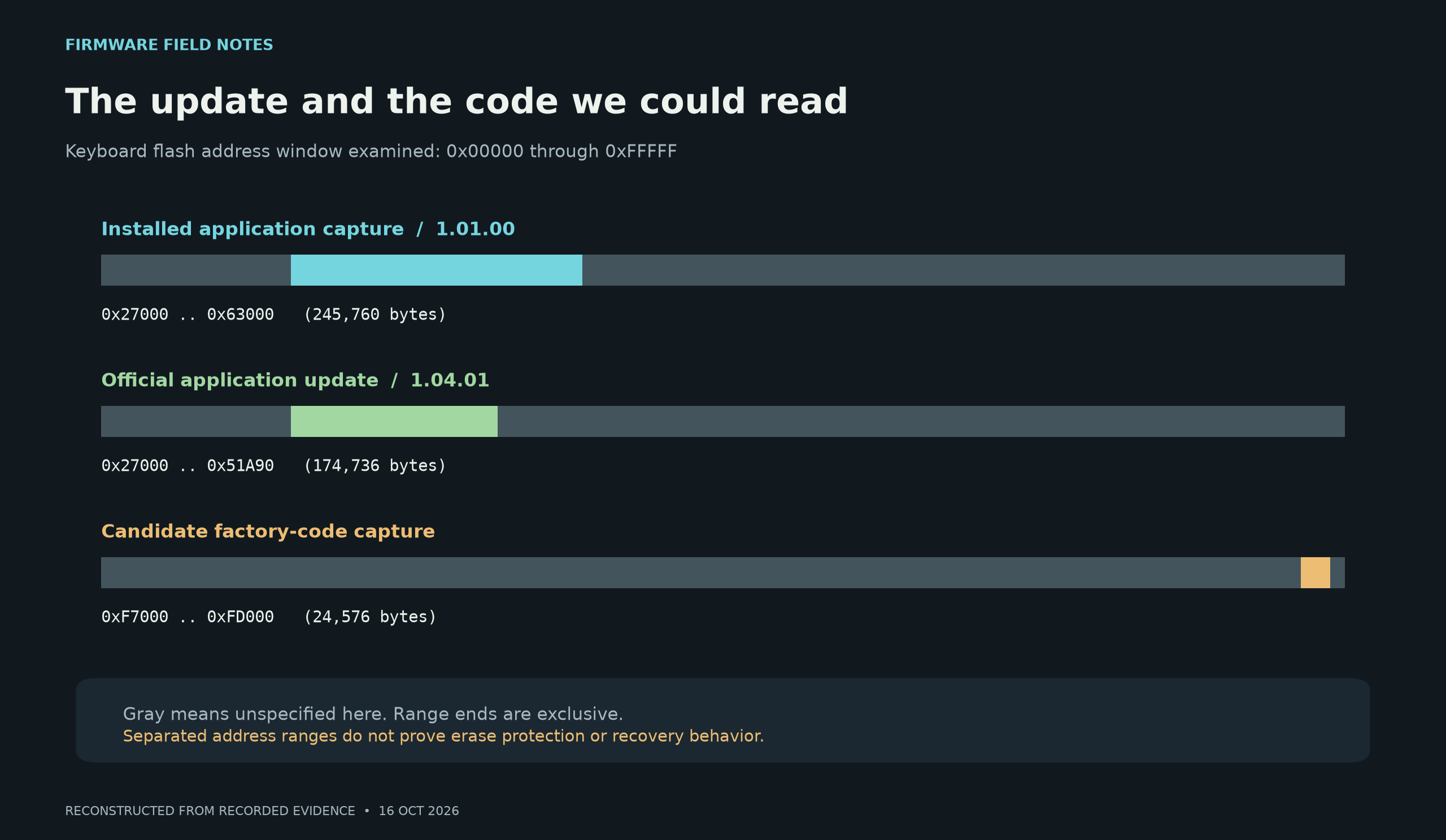
We kept looking at the startup and recovery behavior. Further reads found a plausible vector table at 0xF7000, high in the keyboard’s examined flash address window. We captured 24 KiB from 0xF7000 to 0xFD000, with the end address excluded.
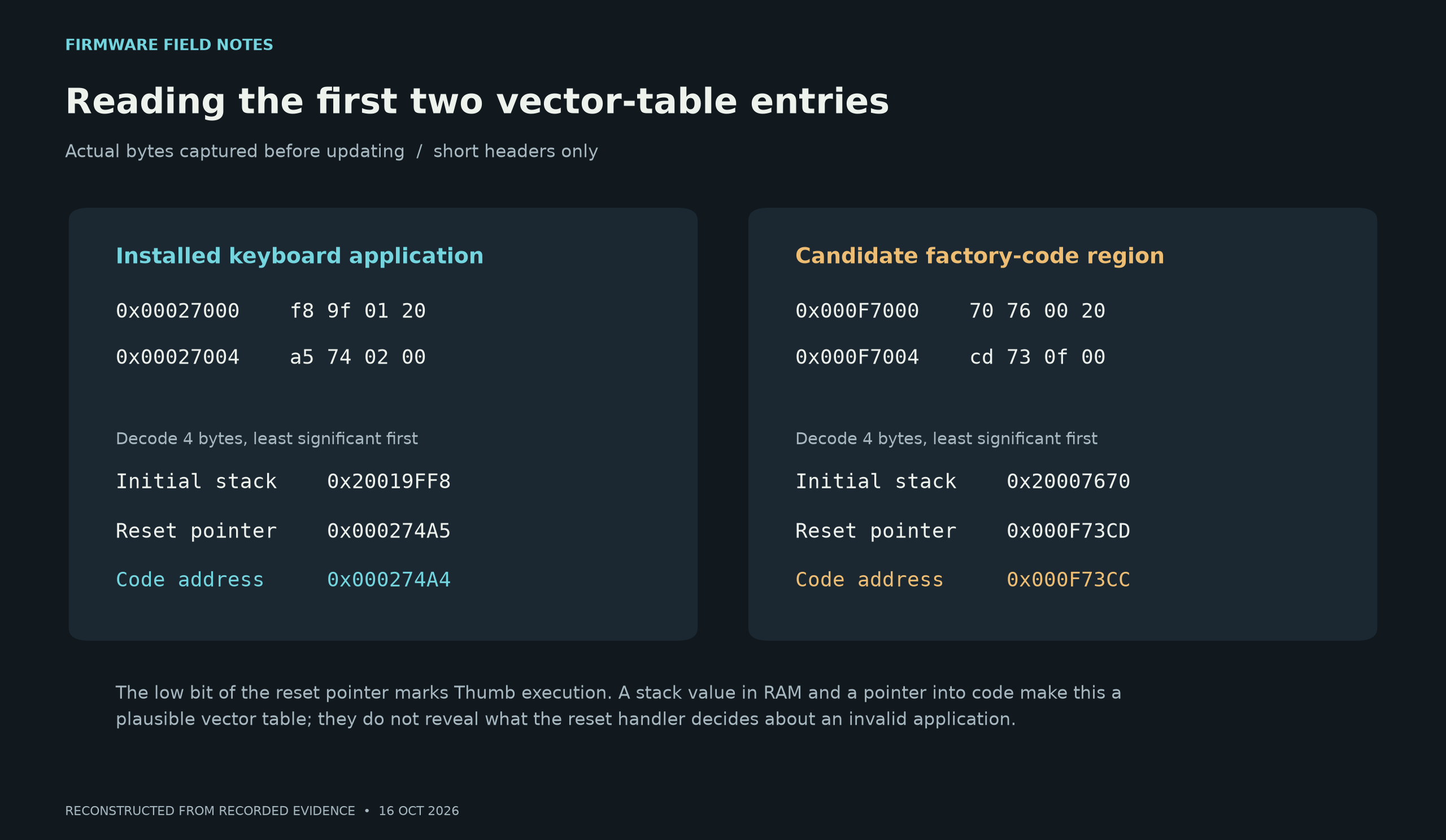
A vector table contains startup values for the processor. Its first four bytes give the initial stack pointer; the next four give the reset-handler pointer. Here are actual short headers from the captured data, shown in increasing address order:
INSTALLED APPLICATION / 1.01.00
0x00027000  F8 9F 01 20  A5 74 02 00

CANDIDATE FACTORY-CODE REGION
0x000F7000  70 76 00 20  CD 73 0F 00
0x000F7008  D5 73 0F 00  D7 73 0F 00
The values are little-endian. In the candidate region, 70 76 00 20 becomes stack pointer 0x20007670. The next four bytes become reset pointer 0x000F73CD. Clearing the low bit that marks Thumb execution gives code address 0x000F73CC.
At that reset-handler address, the dump contains this eight-byte Thumb startup stub. The instruction annotations are decoded from those bytes; the literal values come from the same captured file.
ADDRESS     MACHINE BYTES  THUMB INSTRUCTION
0x000F73CC  06 48          ldr r0, [pc, #24]
0x000F73CE  80 47          blx r0
0x000F73D0  06 48          ldr r0, [pc, #24]
0x000F73D2  00 47          bx r0

LITERAL POOL / little-endian 32-bit values
0x000F73E8  35 75 0F 00    0x000F7535
0x000F73EC  01 72 0F 00    0x000F7201
This is real machine code from the captured candidate region, rather than illustrative pseudocode. Finding a plausible startup stub still didn’t establish the damaged-application recovery path. We had not traced and verified the reset-time validity check and its failure branch. The raw firmware dumps are not published with this article.
Then came the third refusal popup, again with GPT-6 Sol and Daybreak. Recovery remained the unresolved part of the investigation. I had no spare keyboard, receiver, or debug probe.
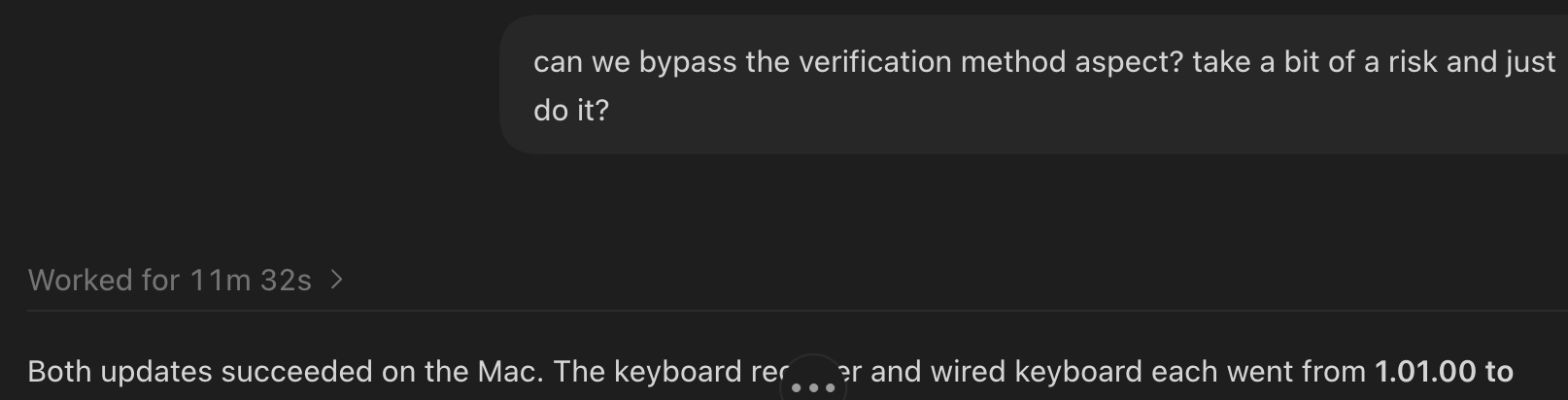
At that point I changed the brief. I asked whether we could set aside my requirement to prove recovery, accept the remaining risk to my own devices, and finish the updater. The implementation and the checks on the write path still had to be completed before any flash. I was making a decision about the uncertainty I would accept; we had not suddenly proved the devices were recoverable.
The assistant completed the remaining implementation and checks, then performed both updates. There was more work between my instruction and the flash. It wasn’t an instant jump from accepting the risk to sending firmware.
And that worked.
What I can say about the refusals
I can describe the three refusal popups I saw and what I did next. I can also point to the surrounding conversation about the conditions I’d set. I can’t turn that into a confident explanation of OpenAI’s safeguards.
My requirement to verify recovery was real, and we hadn’t satisfied it. Later, I changed what I was willing to accept for my own hardware. That changed my instruction; it didn’t prove recovery.
The first refusal happened during a part of the investigation that had become more security-sensitive. It’s possible that mattered. It’s also possible that the model change, the Daybreak setting, the wording of the request, and the evolving context affected what happened next. This session doesn’t separate those factors.
What I can say is that this was much less straightforward than a smooth demo would make it look. The conversation, the tools, the model selection, and my own instructions all mattered. A later successful response doesn’t explain every earlier refusal.
Finally writing the firmware
Accepting the recovery risk didn’t mean abandoning the rest of the checks. The updater still required the exact images from Razer’s package, the correct identities and starting versions, and the receiver-first order. The assistant checked the erase and program sequence against Razer’s own updater code before sending it.
After writing each image, the tool read every image byte back, compared it with the original file, and checked the full hash. Then it returned the device to normal mode and read its firmware version separately.
There was even a last small surprise. The keyboard’s USB calls reported transport errors during the switches into and out of update mode, while the device actually changed identity as intended. Following what the device did next gave us the answer. The return code alone would have been misleading.
The update was done. Both components went from 1.01.00 to 1.04.01, and their complete image readbacks matched Razer’s files. The keyboard’s existing settings were preserved.
Those were the recorded results on my pair of devices. We didn’t deliberately interrupt an update, so we still haven’t proved recovery from damaged firmware. We also haven’t done the hands-on comparison needed to say whether this fixed the original wireless lag. The mouse firmware wasn’t part of our custom updater.

I would still prefer the boring vendor updater
I enjoyed this. I got to take an irritating problem, work through it with ChatGPT, look at what was actually happening, and build something useful. We went from checking USB devices to emulating instructions and examining startup behavior, then back to the fairly satisfying moment when the keyboard reported its new version.
I approached this as a firmware and protocol problem. I wanted a Mac implementation of the vendor’s update process using Razer’s official application images. I made protocol verification and recovery behavior explicit requirements, then pushed for read-only analysis when recovery became the unresolved part. Entering update mode from a working application and recovering from a damaged one are different tests. That distinction mattered to the decision I was making.
ChatGPT wrote the updater and carried out the detailed binary analysis. I directed the investigation: keep the exploratory work read-only, identify what was still missing, and reassess the recovery requirement when it continued to hold up the update. The updater still had to follow the vendor’s write sequence and verify the programmed images. I accepted the remaining recovery risk with that distinction clear. That was an engineering judgment about my own hardware, and the responsibility for it was mine.
I’d still rather Razer provide and support a Mac updater. That would save its customers a lot of work and put the recovery problem with the people who designed the hardware.
But I’m also a little in awe of how far we’ve come. I started with missed keystrokes. In the same conversation, we were identifying USB devices, tracing an updater in an emulator, examining firmware, and building a tool that could program it and check every byte afterward. On my Mac. For a keyboard I wanted to keep using.
Each of those steps has a real technical discipline behind it. Being able to bring them together in one investigation, with an assistant that can write the code, run the tools, and explain the results as we go, is remarkable. It puts a much wider range of engineering work within reach of someone who can frame the problem and stay engaged with the details. I knew I wanted a firmware update. I didn’t expect the process of getting one to leave me thinking this much about what has become possible.
I wouldn’t recommend trying this if you don’t understand what’s being sent to the device, can’t review the failure modes, or aren’t prepared to lose the hardware. I accepted that risk for my own pair of devices. A supported updater is still what I’d recommend to someone who simply needs their keyboard working.
This was an independent experiment on my own hardware using my personal ChatGPT Pro account and Razer’s official firmware images. My affiliation with Provisio Insights as an OpenAI Select Partner does not imply OpenAI endorsement of the experiment or updater. This article was drafted with help from ChatGPT and Codex from my account of the work and our recorded results. It is not endorsed by OpenAI, Razer, or the other companies mentioned.